RustFig: xfig for today's computers
The classic vector drawing program, rebuilt in Rust. It runs natively on Windows, macOS and Linux and in the browser, with no X server, XQuartz or WSL, and has fig2dev and LaTeX built in.
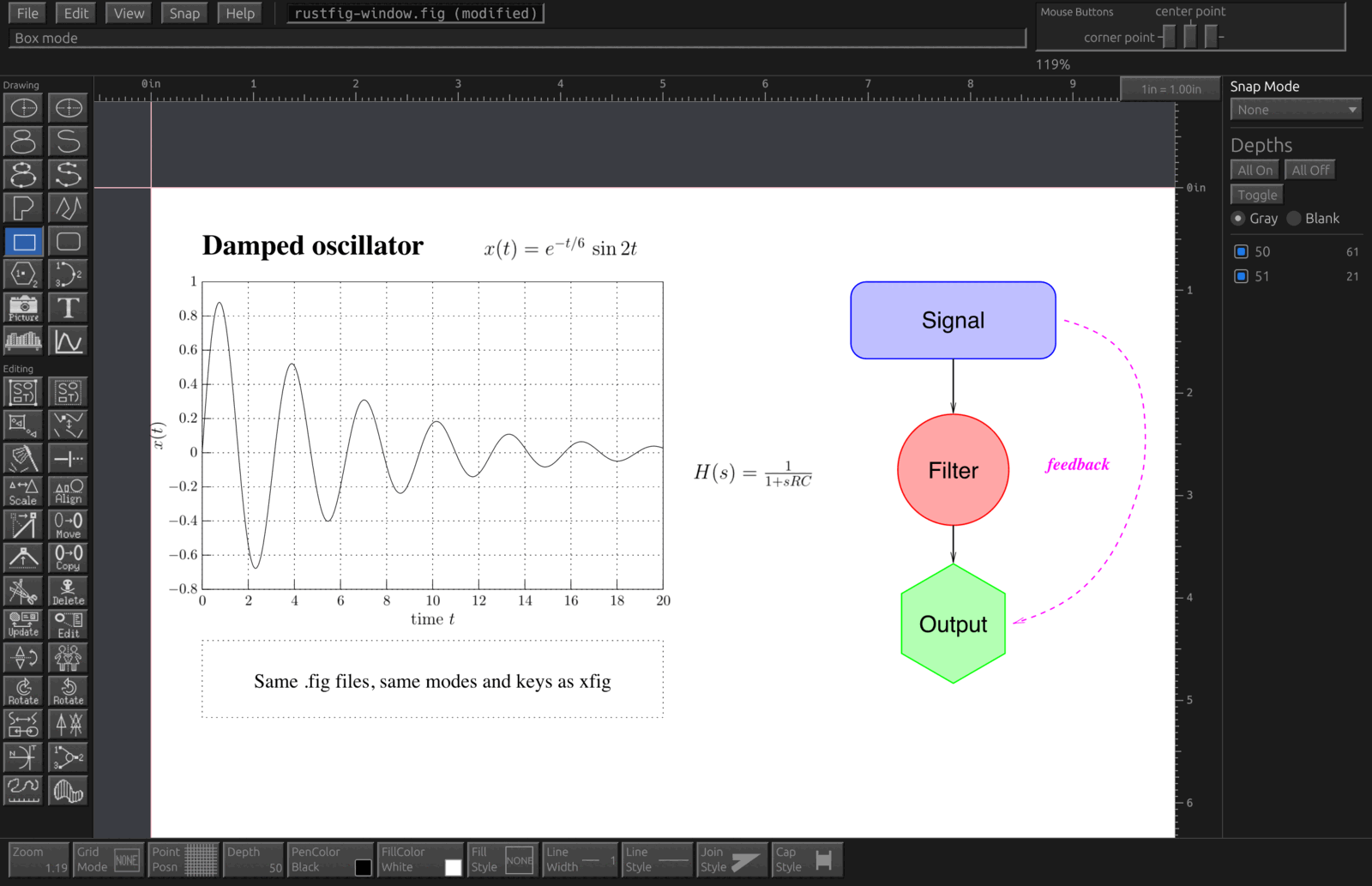
Why RustFig
- It is xfig. The same modes, mouse buttons, panels and keys, and the same
.figfiles: RustFig opens every Fig version and saves Fig 3.2 that xfig and fig2dev read unchanged. - It runs everywhere. Native on Windows, macOS and Linux, no X11 needed, and in the browser.
- LaTeX on the canvas. Text with the TeX flag is typeset by your TeX installation and shown as it will print, formulas included; plots of functions and data with LaTeX labels.
- Every fig2dev export, built in. PDF, SVG, EPS, PNG, pstex/pdftex, TikZ, PSTricks, pict2e and all of fig2dev's other languages, through fig2dev's drivers ported to Rust. The
fig2devcommand line comes along. - Modern where it helps. Native printing, undo, command search, F1 help everywhere, the system's keys next to xfig's, figure libraries (Feynman diagrams, quantum circuits, optics, circuits), and automation through a JSON control channel and MCP.
Download and install
| System | How |
|---|---|
| Windows | rustfig-VERSION-windows.zip: unpack anywhere and start rustfig.exe; fig-association.reg makes .fig files open in RustFig. Or with Scoop: scoop install https://raw.githubusercontent.com/FabianHassler/rustfig/main/packaging/scoop/rustfig.json |
| macOS (Apple silicon) | RustFig-VERSION-macos.dmg: drag RustFig to Applications (not yet notarized: allow it once under System Settings › Privacy & Security). Or with Homebrew: brew install fabianhassler/tap/rustfig |
| Linux (x86-64, ARM64) | .deb or .tar.gz: sudo apt install ./rustfig_VERSION_amd64.deb, or unpack the .tar.gz and run install.sh. |
| Browser | Open the web version: nothing to install (drawings stay in your browser until you save them as a download). |
| From source | cargo install --locked --git https://github.com/FabianHassler/rustfig rustfig rustfig-cli (Rust 1.92 or newer). |
The Rust fig2dev on its own: cargo install fig2dev-rs or brew install fabianhassler/tap/fig2dev-rs.
Questions
Can I run xfig on Windows?
Yes, with RustFig: it is xfig rebuilt as a native Windows program. Download the Windows zip, unpack it and start rustfig.exe. No X server, Cygwin or WSL is needed.
Do I need an X server or XQuartz on macOS?
No. RustFig is a native macOS app (Apple silicon), installed from a .dmg or with Homebrew. It needs neither XQuartz nor any other X11 server.
Does it open my old .fig files?
Yes. RustFig reads every Fig format version (1.3 to 3.2) and saves Fig 3.2 that xfig and fig2dev read unchanged, so you can go back and forth with xfig.
Is it the same program as xfig?
It works like xfig: the same modes, three-button mouse functions, panels, keys and file format. It is a new implementation in Rust, with modern additions such as undo, native printing, LaTeX typeset on the canvas and a command search.
How do I export to PDF, EPS, SVG or LaTeX?
File > Export offers every fig2dev language: PDF, EPS, PostScript, SVG, PNG and other bitmaps, pstex/pdftex, TikZ, PSTricks, pict2e and more. fig2dev is built in (ported to Rust); no separate installation is needed.
Does it run on Linux and in the browser?
Yes: .deb and .tar.gz packages for x86-64 and ARM64 Linux, and a web version that runs in the browser without installing anything.